Thursday, February 6, 2014

Watch For Your Cable Bill to Increase, The Simpsons Come to FXX


The Pink Sedan Owned By Parent Co. 21st Century Fox
Driving Home the Money on FXX
So The Simpsons are coming to FXX this Fall. According to Deadline, FXX acquired the broadcast rights to The Simpsons from parent company, 21st Century Fox. The off-network acquisition must have been like the young teenage son asking the dad if he could drive the Mustang, or rather, the family sedan on Friday night. With the exception that this deal is expected to reap up to 1 billion for 21st Century Fox, driving the family car never paid off so well.

The Simpsons and Always Sunny in Philadelphia on FXX
The Simpsons and Always Sunny on FXX
The deal marks the first time the show will be featured on a cable network. Since the show’s inception and throughout its 20+ years on-air, the show has always been on broadcast. FXX has also acquired VOD rights to the show, so this will also become the first time viewers at home can watch The Simpsons online, VOD, and/or a mobile device. In addition, Deadline reports that FX Networks plans to launch FXNOW, an app where the network plans to feature on-demand episodes of The Simpsons. The broadcast and VOD rights makes The Simpsons a multi-pronged earner for FXX.

The deal brings relevance to FXX which currently airs movies and Its Always Sunny in Philadelphia. Which up until now, may have been the only reason to tune-in. Increasingly, it seems that Fox Networks, like all the networks, is simply trying to build out its cache of cable nets in an effort to simply hike up the re-transmission fees from the cable and satellite companies.

In the end, this hurts the consumer because Comcast and the likes have no choice but to pass the buck. Seriously, they could not fit Always Sunny and The Simpsons on FX alone? They had to create an additional cable channel network? At least we have Ali G coming back or is that on FX?

Wednesday, February 5, 2014

CBS to Bring Thursday Night Football to Broadcast in 2014

CBS and Thursday Night Football to broadcast to your TV for eight games in 2014
CBS and Thursday Night Football, eight games in 2014
As a fan of NFL football and a thrifty consumer, I am glad to read the news today that CBS will be broadcasting eight Thursday Night Football games for the 2014 season. The games will be also air simultaneously on the NFL Network, as they have been  in the past, according to Fierce Cable.

This is a win-win both for the fan and the NFL because this means fans will not have to shell out the extra bucks just to pay for a bundle of cable channels just to watch Thursday Night Football (TNF) or go to the local sportsbar to watch their favorite team play on Thursday night. According to Zap2it, ABC also bid for the broadcast rights to eight TNF games. I think this is something that fans have been waiting for and demanding ever since the creation of TNF.

The NFL will see ratings increase for TNF which have been dismal for the NFL Network. Besides the games, I can’t imagine the casual fan tuning in to the network for much more so it is bizarre to even keep the network on-air. Its almost similar to Oprah starting the OWN network. Like football, she fairs better on broadcast.

Now if only we can get access to Monday Night Football on broadcast rather than ESPN. That is unlikely to happen due to the fact that ratings for Monday Night Football on ESPN seem to be doing very well. The highest rated TNF game was the Kansas City-Philadelphia game on September 19th, 2013 which averaged 9.4 million viewers, according to Zap2it. In comparison, the final Monday Night Football game of the 2013 regular season between the Atlanta Falcons-San Francisco 49ers on Decemeber 23rd averaged 14.1 million viewers, according to Zap2it.

According to Fierce Cable, CBS is contracted to produce eight TNF games for the 2014 season. This leaves the remainder of the games to broadcast elsewhere which will probably be the NFL Network. There were 14 TNF games during the most recent 2013 season, including the Chargers-Raiders game which aired late on the Sunday night of October, 6th, 2013. The upcoming 2014 season schedule will be announced in April.


Thursday, January 30, 2014

How to Create a Retro Postcard Design in Gimp 2.8


An awesome tutorial on creating postcards with The GIMP. This one is from JosephsPlace at YouTube. When I first attempted this, I got lost in the middle of the tutorial and starting working on this postcard project on my own. Here is the result of my first attempt, a postcard from my hometown in Old Roseville, CA:

Postcard - Greetings From Roseville, California
First attempt.
The author of the tutorial mentions Photoshop users have access to an easy wave making tool. In GIMP, we have to use the path tool to create a text along path or use the newer cage transform tool, which is what I did.

This tutorial is also beneficial due to the extra techniques the author mentions that can really change the way you do graphics. Little things such as changing the font size of the first letter so that is is roughly 10-15% larger then the rest of the proceeding text. Also the links to the font used was a good look by the author, I have used them now in many projects.

Postcard - Visit Beautiful Locke, California
Second attempt.
I did find some flaws in my second go-around, while making the postcard for Locke, CA. During my first attempt, I painstakingly cleaned up the edges to remove the aliasing that occurs when you create the 3-D background. The second time around, I was able to follow the tutorial to the end and found that my edges showed bad aliasing which is hard to fix. You have to go around the entire edge with a small, maybe 1-pixel size eraser brush and remove the edges. Unless there is a better way that I am unaware of. Here is the result of my second go:

Some other useful techniques I found in my second go was the black radial gradient the author uses to bring out the text, along with the softlight radial gradient used to create a light source. Very cool. If you are interested, check out JosephsPlace tutorial on YouTube or the embedded video below:


Tuesday, January 28, 2014

GIMP Tutorial - Use Channel Mask & Threshold for Complex Selections by V...

GIMP Tutorial - Use Channel Mask & Threshold for Complex Selections by V...

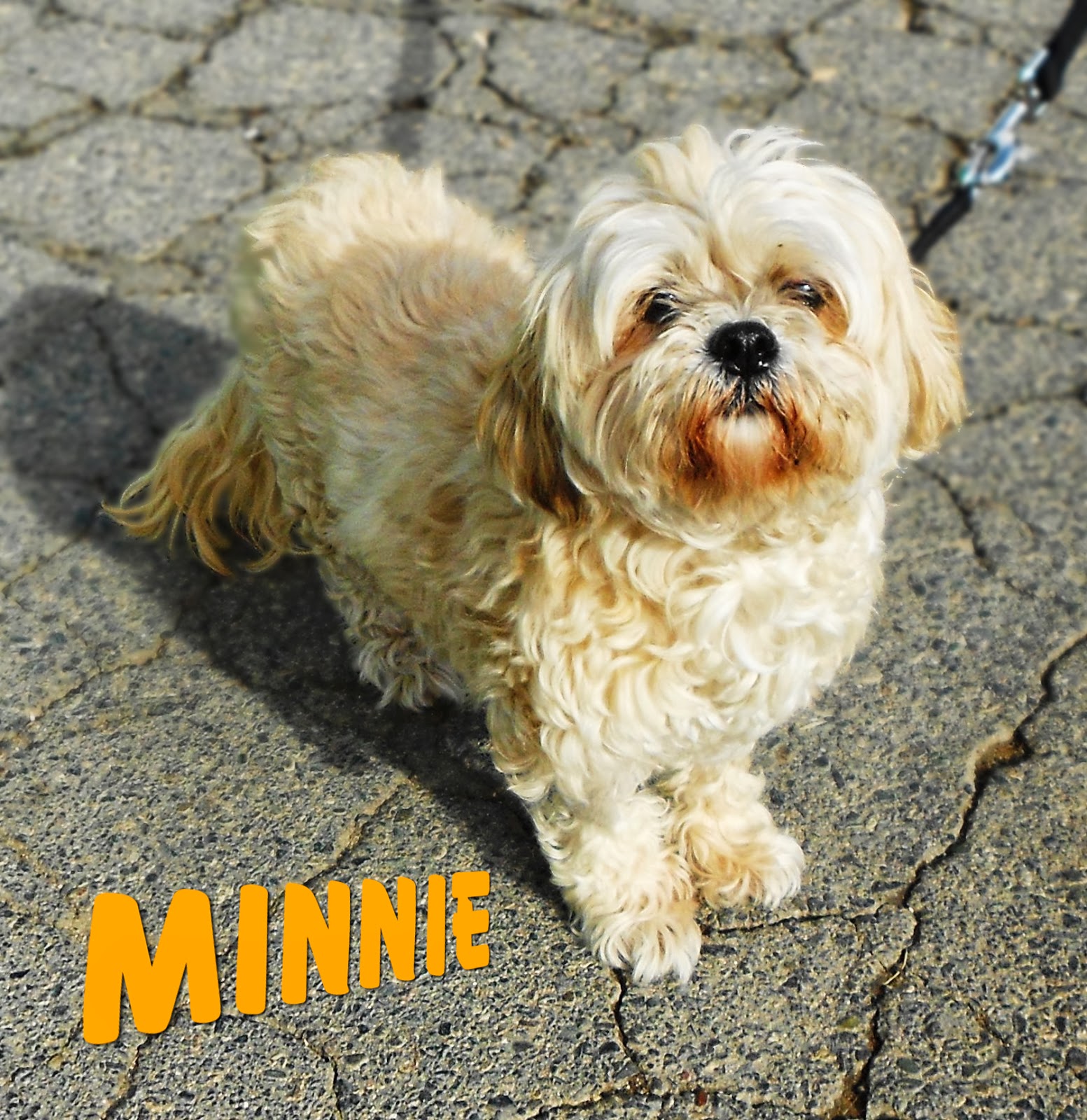
Furry Lhasa Apso/Mix
Minnie the furry Lhasa Apso/Mix with simulated depth-of-field.
I use a lot of GIMP tutorials found all over the web for various projects. One of my go-to instructors is VscorpianC, be sure to check out her YouTube channel. I do a lot of graphic work as a volunteer at the local animal shelter, and often times I want to use a photo of a dog that has a crummy background, such as the one of Minnie, the 9-year old Lhasa Apso/Mix available for adoption, in the picture to the right.


To work with the photo I need to lasso the animal in GIMP and then either replace the background with a nice looking graphic or use a technique I learned from another tutorial found online called simulating depth-of-field (DOF), thanks to the GIMP Guru. This technique is easy enough to perform on a picture of a smooth-haired chihuahua or pitty, but on a Lhasa Apso... yeah all that fur makes lassoing the outline of the dog a real pain!

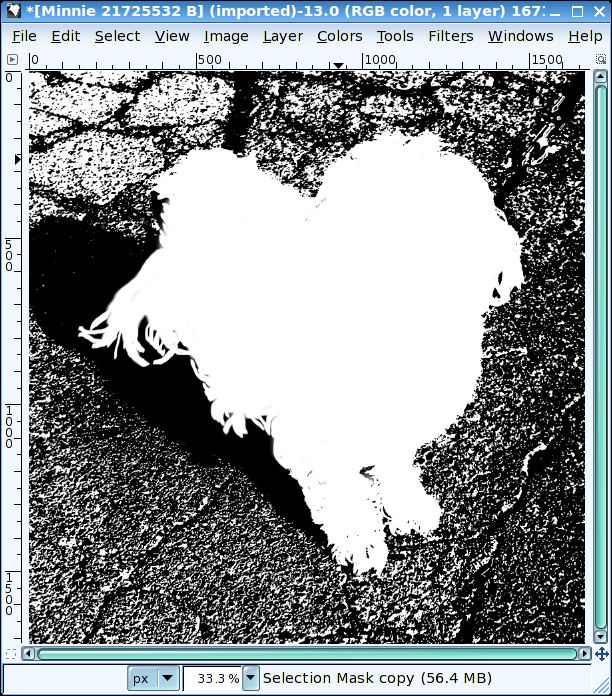
Channel selection mask copy.
Using the color threshold and paintbrush to create a channel mask.

Luckily, I found VscorpianC's tutorial on using a channel mask threshold for complex selections. Using an image of a tiger with whiskers poking out against the background, VscorpianC clearly informs how to use GIMP's channels and color threshold to create a channel mask.

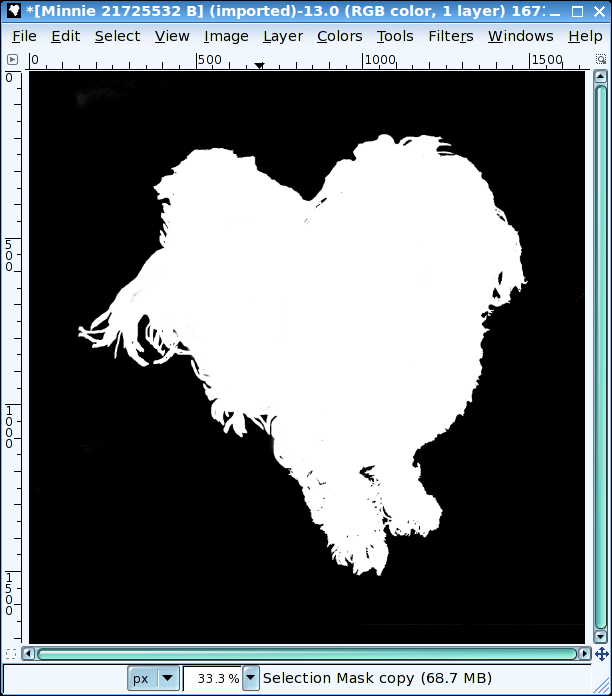
Layer Mask.
Layer mask.
After creating the channel mask, VscorpianC explains that you can add a layer mask and use the channel selection mask copy as a selection. From there you can replace the background if that is all you want to do. Or, create a simulated DOF, such as I did. Check out GIMP Guru's tutorial on simulated DOF.

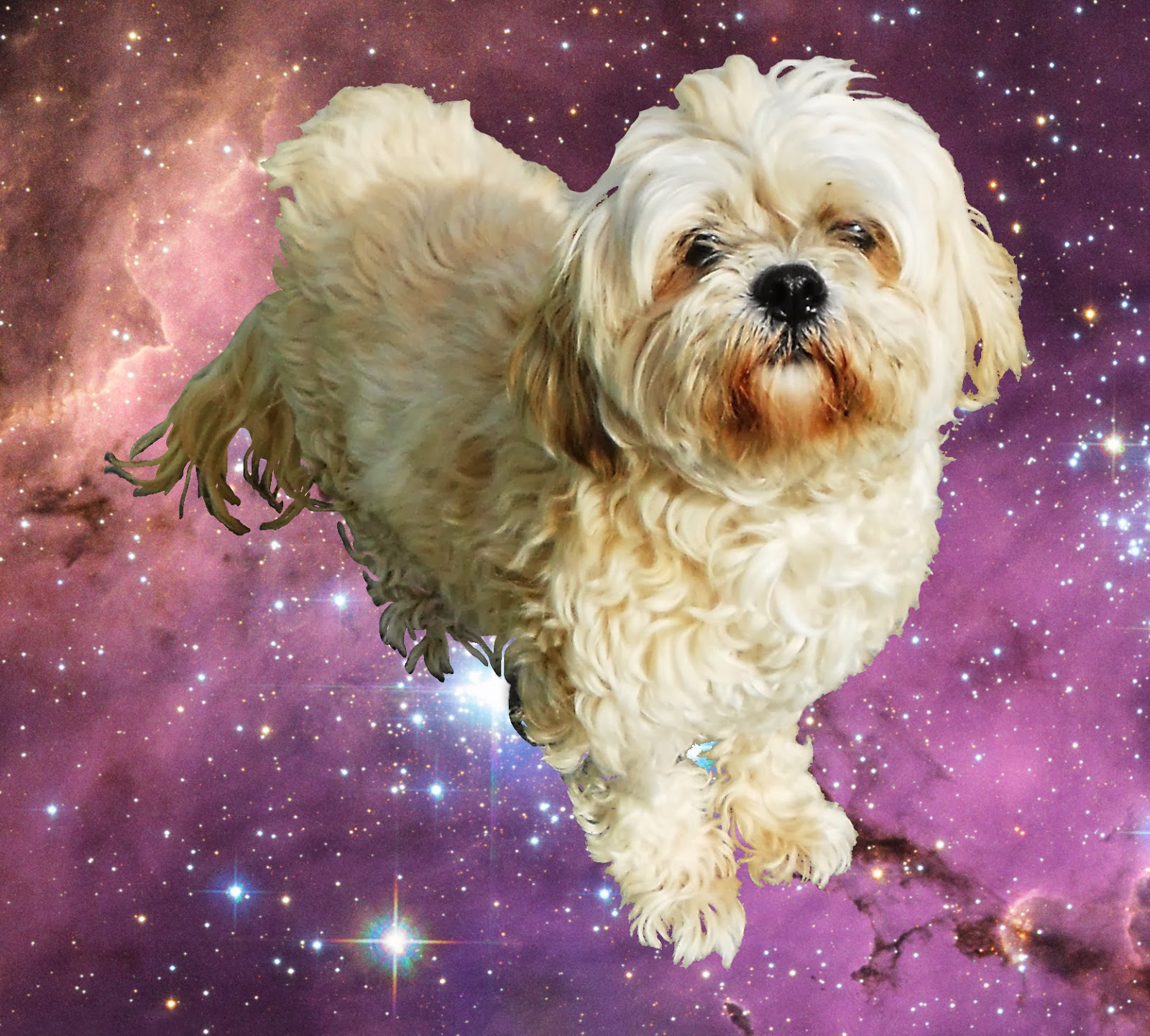
Minnie with background replaced with a space scene.
Minnie in space. Photo by NASA, ESA. Acknowledgement: Josh Lake.


Monday, January 27, 2014

You Must Be Patient With True Detective and Branding Ideas

I haven't been very good at updating this whole blog thing as of late. With all the great TV shows on-air... True Detective has got to be the most interesting snooze on-air right now, and with Shameless back, well my Sunday nights are booked.

For the past several weeks, I have been working on marketing myself, coding my own website in CSS3 and HTML5. But I have been having some trouble branding myself. What do you think a good name for my business should be? I have it narrowed down to anything with my initials really. Here is a logo I built:

Logo with transparent initials.


The logo is transparent through the initials to show off anything in the background. Here is an example of the logo with a background image:

Kind of like the bat signal?
The good news is I finished my course at ed2go.com on Introduction to CSS3 and HTML5. I am looking forward to my next course, Intermediate CSS3 and HTML5 starting in mid-February.

As for my branding, I am having trouble coming up with a name. Here are some quick mockups I created in GIMP's logo creation feature. I have tried "gabriel ohh designs:"

Alien glow example.

Here is "g-ohh designs:"

Glowing hot example.
Here is "gohh designs:"

Neon example.
I am not really sold on either, just trying to throw ideas out until I find something that sticks.

Back to True Detective, the story moves at a snail's pace. Back when I was in Film Studies, I learned to call a slow movie, "patient." Well you have to be patient with True Detective. The next time I dress up for an interview, or court appearance, I am taking a cue from Rust's wardrobe. Gotta love the sleazy style, makes you want to read Nietzsche and Camus again. Also, the opening credits to the show have got to be the best I have seen on television. Check them out:


Sunday, December 15, 2013

Broke My Debian System

So it appears my Debian "Wheezy" desktop is broken. Came home last night and my gf attempted to look at FB using the desktop. She mentioned it was being very slow and the Seamonkey browser kept crashing. So I rebooted thinking: flush the memory, things will return to normal. Nope.

Upon rebooting, I noticed a warning message indicating:

root file system has insufficient space

OK. That is a new one. I proceed to finish the boot process and expect Debian to load but nothing happened. So I rebooted into Debian Safe-Mode (which allows for command line maintenance) and entered the df command (disk free). df showed my main partition where all my files are stored is 100% full. Not sure how that happened since I have not downloaded any huge files. I entered du (disk usage) and found my home directory was 29 Gb. (The hard disk is only 37 Gb). Various other directories had 1-4 Gb of data. Very strange because my install of Debian is relatively fresh with a reformatted disk.

So I concluded that I needed to delete some files and the best way to do that would be to load a live CD and poke around the bloated partition. I inserted Precise Puppy (Puppy Linux) into the CD-rom drive and rebooted. Puppy loaded OK but I immediately noticed that only one of the two hard disk partitions were mounted. Upon scanning my hard disk with Gparted, I realized the volume that I need to access uses LUKS full encryption and I cannot mount it to delete some files. Bad news.

Here things got worse. I turned to the Internet for some help. I found a discussion about mounting encrypted volumes from command line at Ask Ubuntu. I found some information that looked promising and entered the following command:

cryptsetup luksOpen /dev/sdb5 sde5_crypt

The result of which gave me:

device-mapper: reload ioctl failed: No such file or directory

Great!  I don't know what that means.

I did find a very good short blog post on this subject by Alvin Abad,
How to Recover a LUKS Encrypted Disk, but I still end up with the device-mapper ioctl failed error. 

Unfortunately, the PC hardware has got to be around 10 years old and various components are failing (power supply, audio card) so I think it is about time to build a new PC. Too bad because I still  have a lot of work to do tonight.


Saturday, December 7, 2013

Uploaded My 1st Website

It took about 4-5 weeks but I finally uploaded my first website! I was much more excited when I was able to connect to the webhost server via FTP and finally upload my files. I had trouble with connecting to 000webhost via the file manager (to upload via the web) and FTP. Late last night I was able to connect with FileZilla and transferred all my website's files. I did put in a trouble ticket with 000webhost and received some feedback but wasn't much help.
My first website - Coding HTML with Free Text Editors for Linux

My website is about Coding HTML with Text Editors for Linux. Go to http://texteditorsforlinux.uphero.com to check it out. It took me awhile to put together the research (I actually used all mentioned editors to put together the site). I wrote about GUI-based editors Geany, gedit, Leafpad, and TEA. I plan to add some WYSIWYG editors such as Kompozer, Seamonkey, and command-line editors such as Vi and Vim later. Anyways, I hope it can be of use to others coding HTML on a Linux-based system.

My current Twitter profile background image
In other news, I am planning a few more websites as well as enrolling in another course (Introduction to CSS3 and HTML5) at ed2go.com. For those interested in learning some new skills online (not-for-credit classes), I would highly recommend ed2go. So far my experience with them has been very good.

The next sites I am planning include a site about Twitter backgrounds. I plan to create a series of generic-themed backgrounds for people to download and use on their own Twitter profiles and possible draw some attention to myself as a graphic designer, maybe make a few duckets here and there ;)